How to Use Your Pass
Learn how to use the farebox
Farebox styles vary - drivers are happy to help riders use their pass.
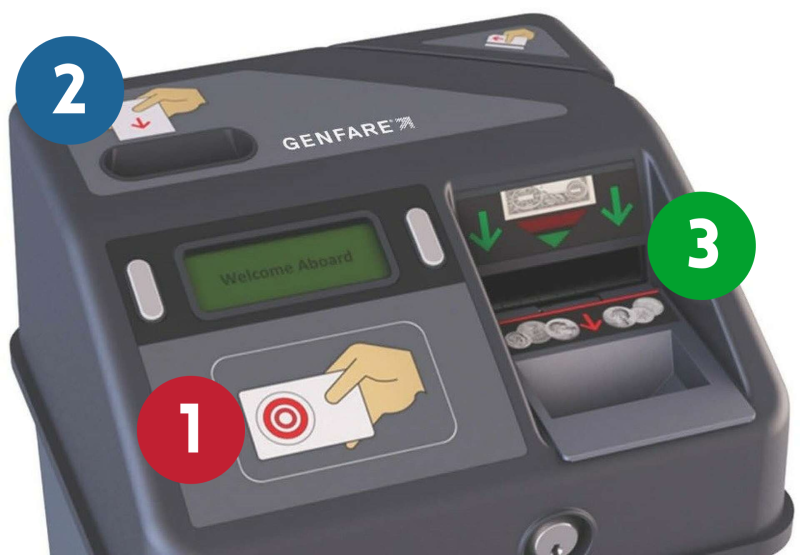
- If you have a hard plastic smartcard, tap the pass on the red circle (1).
- If you have a flexible polycard, insert the pass into the slot in the upper left corner (2).
- Insert cash in the slot next to the green circle (3) in the diagram.